Record
Open Report a hazard from Today. Choose Record or Type instead.
Field-ready WHS admin
Turn everyday site activity into usable safety records—without making workers fight through forms. Site Pack helps crews capture the information that otherwise gets lost in paper forms, photos, messages and end-of-day admin. Create SWMS, record daily toolbox talks, complete Take 5s and report incidents from the field—then give supervisors a clear record to review and follow through.
Built in Brisbane for Australian trade crews. Browser-based, with human review at the centre.
Capture the record. Keep work moving.
Give crews a practical way to capture what happened while the context is still there, then give supervisors the record they need to review, follow up and show later.
Describe the work, review the draft and share the document for crew sign-on.
Explore →Record a task risk check for a planned job or a one-off callout.
Explore →Prepare the discussion, share the talk and retain sign-on records.
Explore →Capture a hazard, review it, assign follow-up and check the reported outcome.
Explore →Keep the account, evidence and review together when something happens.
Explore →Find your existing documents, sign-ons and handover workflows under More.
Explore →Less chasing. Clearer next steps.
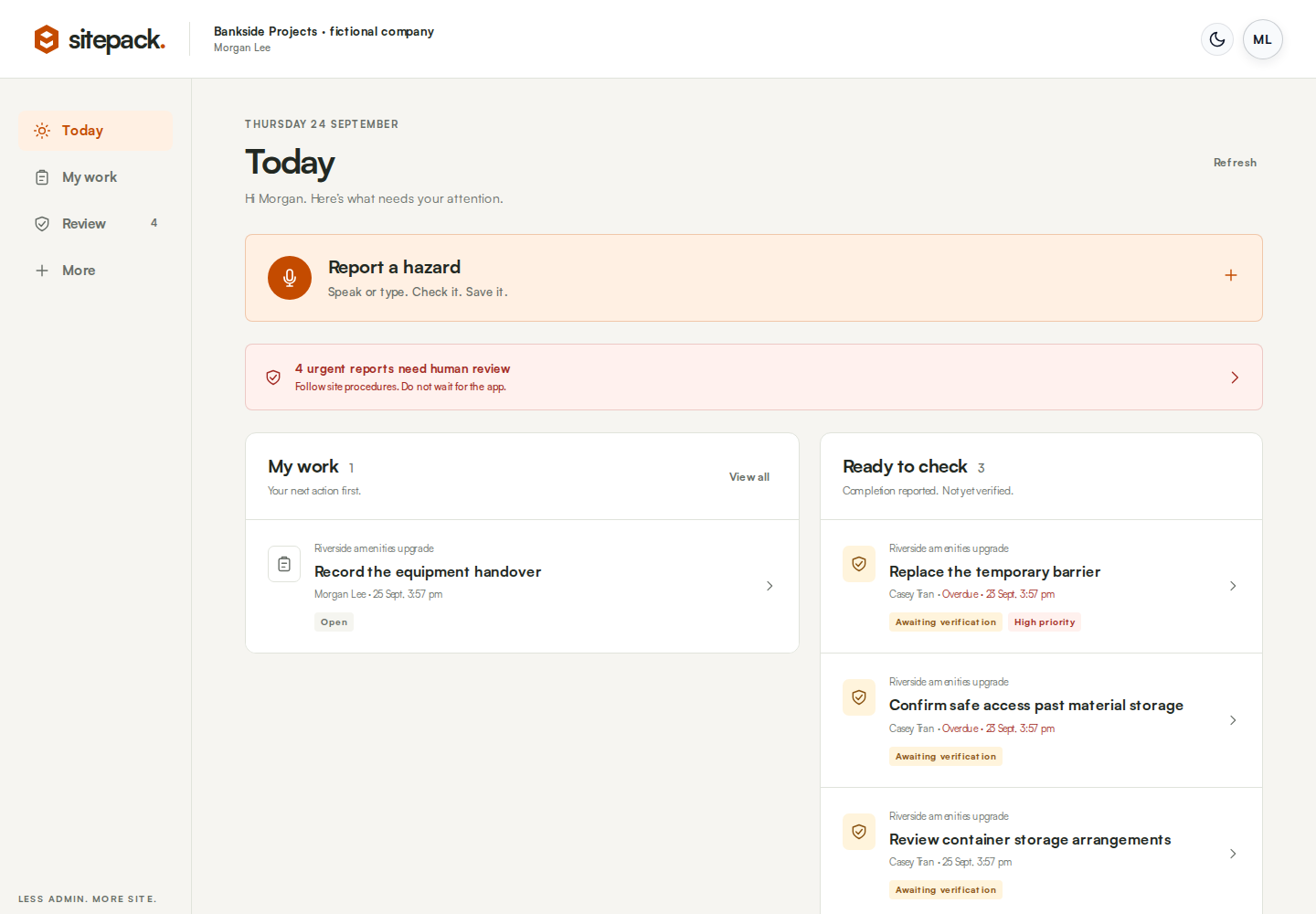
Open Sitepack to see your assigned work and the reports that need human attention. Owners and admins can also open the review queue.
Each task keeps the required work, responsible person, due date and next step together. Evidence and history stay close, so teams spend less time chasing paperwork after the job.
Explore the Today guide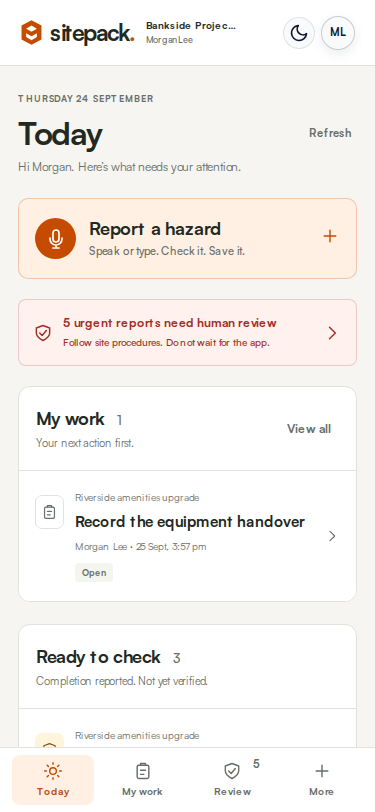
Report a hazard
Record it by voice or type instead. Add the relevant detail while you are on site, then save it for human review.
Open Report a hazard from Today. Choose Record or Type instead.
Describe what you saw and where. Stop the recording to create a transcript.
Correct the account, flag immediate danger where relevant and save the report for human review.
Saving a report is not notification delivery, approval or permission to work. For immediate danger, follow site procedures and contact the appropriate person directly. Do not wait for an app.
Review and act
Assign a responsible person and due date. Record the work and evidence. A permitted reviewer can then verify the outcome or return it for more work.
High-priority actions require an independent reviewer. Verifying an action does not automatically clear the linked hazard’s urgency or authorise work.
See actions and reviewNotifications have their own delivery history. Safety-action SMS, reminders and escalation are a limited rollout, not automatically enabled for every company.
Built for practical use
Use a phone, a simple browser link, voice and photos to capture the record while the work is happening.
Keep SWMS, crew sign-on, toolbox talks, Take 5s and safety reports close to the relevant work and site activity.
Give supervisors a clearer view of the account, evidence and the person responsible for the next action.
Sitepack supports your safety processes. It does not replace competent supervision, emergency procedures, legal duties, induction systems or job-management software.
Know what you are getting
Sitepack brings SWMS, Take 5, toolbox talks, incident and near-miss records together with hazard reporting, human review and assigned safety actions. Today shows personal work and urgent attention. More keeps the existing tools and registers within reach.
No. AI output is a draft for review, not a competent person's assessment or permission to work. Check the actual conditions, consult the people doing the work and follow your procedures. Saving a report, signing on or verifying an action does not remove your legal or safety responsibilities.
Sitepack runs in a browser. Shared worker sign-on links and QR codes do not require a full Sitepack account. The Today workspace, report creation and company review tools require an authorised login. A worker link provides only the access granted by that link.
No. Safety-action notifications are in a limited rollout and require company activation, eligible recipients and delivery checks. Ask us to confirm availability for your company. This is separate from existing document and toolbox messaging. Delivered does not mean read, acknowledged, completed or verified.
You need an internet connection to save reports and use AI transcription. Do not assume there is an offline outbox or automatic sync. Keep any unsaved tab open, retain a separate copy where safe and appropriate, and confirm a successful save when connected. Follow your site's fallback process in the meantime.
The action waits for verification. A permitted reviewer checks the work and evidence and either verifies it or returns it. High-priority work cannot be verified by its assignee or completion submitter. A linked hazard's urgent-review status is handled separately.
The field-hazard classifier uses the written account or transcript, not photo analysis. Stopping a voice recording sends it to OpenAI for transcription. The recording is not automatically attached to the saved hazard. Download it before leaving the tab and upload it separately if you need it as evidence.
Open More for SWMS, Take 5, toolbox talks, near misses, the tools dashboard and full safety register. Sitepack does not currently provide dedicated site-inspection, JSA or PPE-record workflows, plant pre-starts, inductions, dispatch or invoicing. A Take 5 or SWMS should not be relabelled as a dedicated JSA module.
Tell us about your crew’s paperwork, hazard reporting or follow-up needs. We will confirm a suitable package, availability and onboarding before any subscription starts.