Paperwork lives with the job
Set up a job once with its address and principal contractor. SWMS, Take 5s, toolbox talks and incidents all hang off it.
For builders and subcontractors
Draft the SWMS by talking, get the crew signed on by QR, and keep every job’s paperwork ready for the principal contractor.
Built in Brisbane. Runs in a phone browser. Nothing for the crew to install.
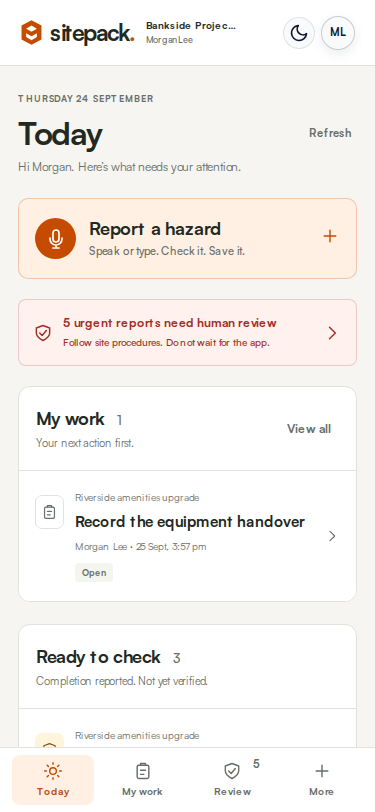
Built for project work
For sites that run for days or weeks with a crew that changes as trades come and go.
Set up a job once with its address and principal contractor. SWMS, Take 5s, toolbox talks and incidents all hang off it.
Describe the task and Sitepack flags the high-risk construction work categories it hears, so the SWMS covers them.
Signed SWMS, sign-on records and toolbox attendance are ready as PDFs when the head contractor or client asks.
See it work
Four real screens from the Sitepack demo account, captured from one 30-second voice note.
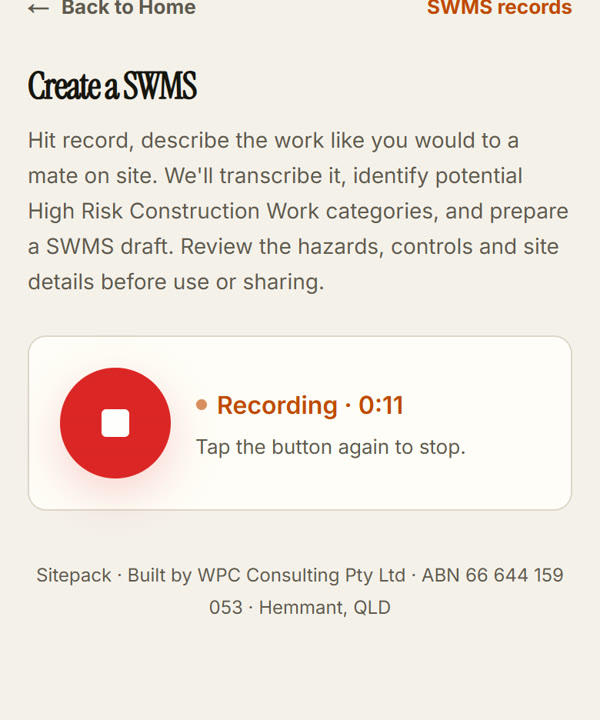
Tap record and describe the job the way you would to a mate on site.
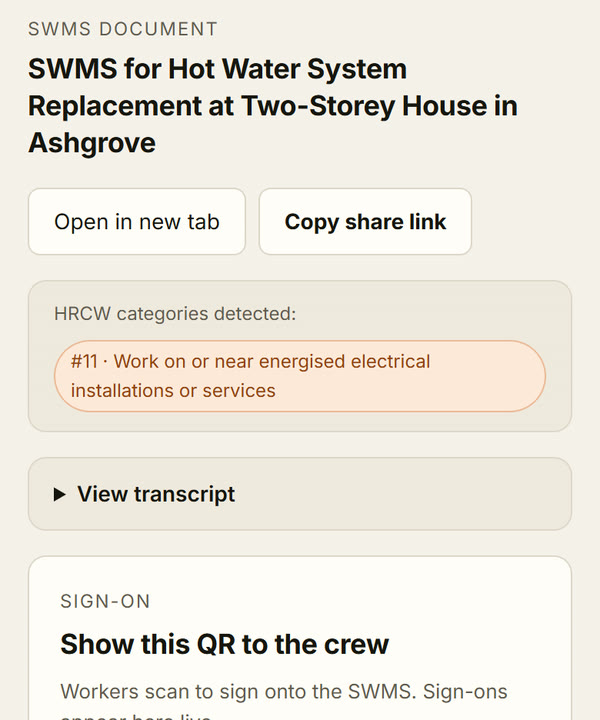
Sitepack transcribes it, flags high-risk construction work and drafts the SWMS.
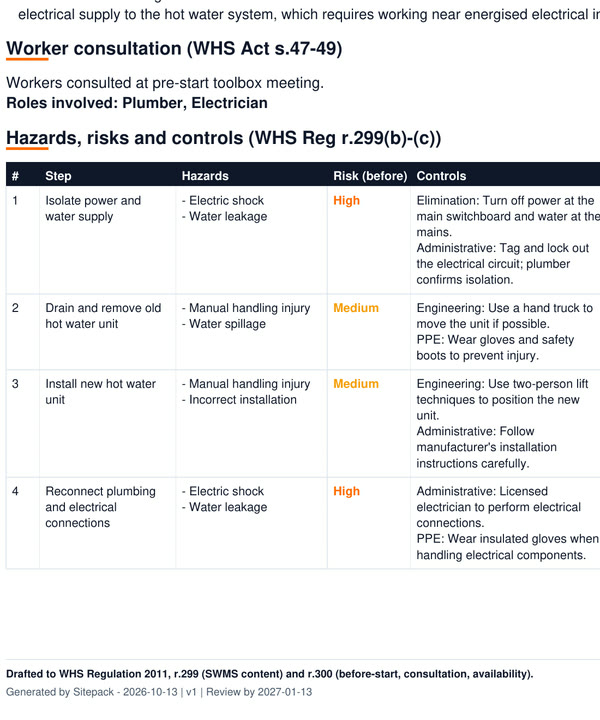
You check the hazards and controls against the real job and fix anything it missed.
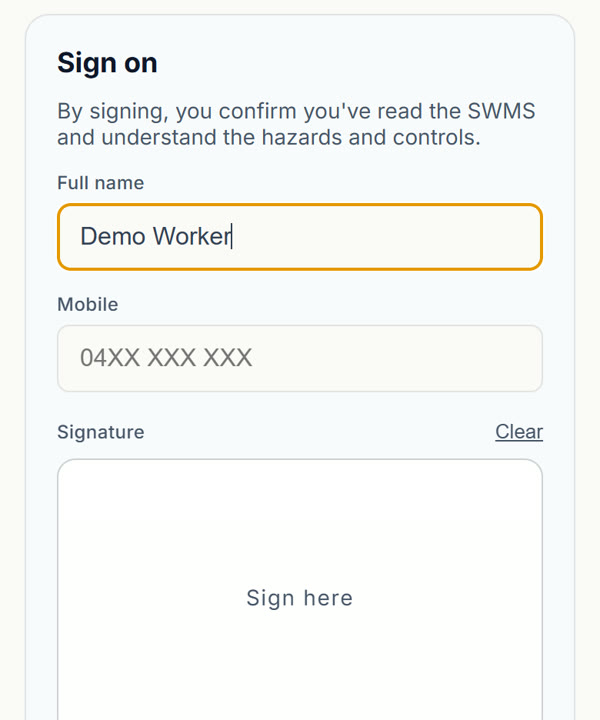
The crew scan the QR code, read the SWMS and sign on their phone. No app or account.
In this example the draft missed the scalding risk mentioned in the voice note. That is why step 3 matters: AI output is a draft, and a competent person checks it before it is used.
Core features
Voice-drafted SWMS with high-risk work flagged, ready for your review.
More →Quick pre-start checks against the job, or a one-off callout.
More →Prepare a talk for the crew and keep the sign-ons.
More →Report a hazard, assign the fix and verify it was done.
More →Record what happened with photos, voice and follow-up.
More →Bundle a job’s records with your insurance and licence details.
More →Paid pilot
FAQ
No. Sitepack sits after induction or gate-in and handles the phone-based paperwork for your crew: SWMS, sign-ons, Take 5s, toolbox talks and hazards.
AI output is a draft. A competent person must check it against the actual job before it is used or shared. Sitepack does not approve work or guarantee compliance.
No. Crew sign on by scanning the job’s QR code and signing on their phone. Only the people who create and manage records need a login.
Sitepack needs an internet connection to record, transcribe, generate and save. There is no offline mode or background sync yet. If coverage drops, keep the tab open, use your site's paper backup and save once you are connected.
Not quite you?
The same Sitepack, set up for callouts or cleaning sites.
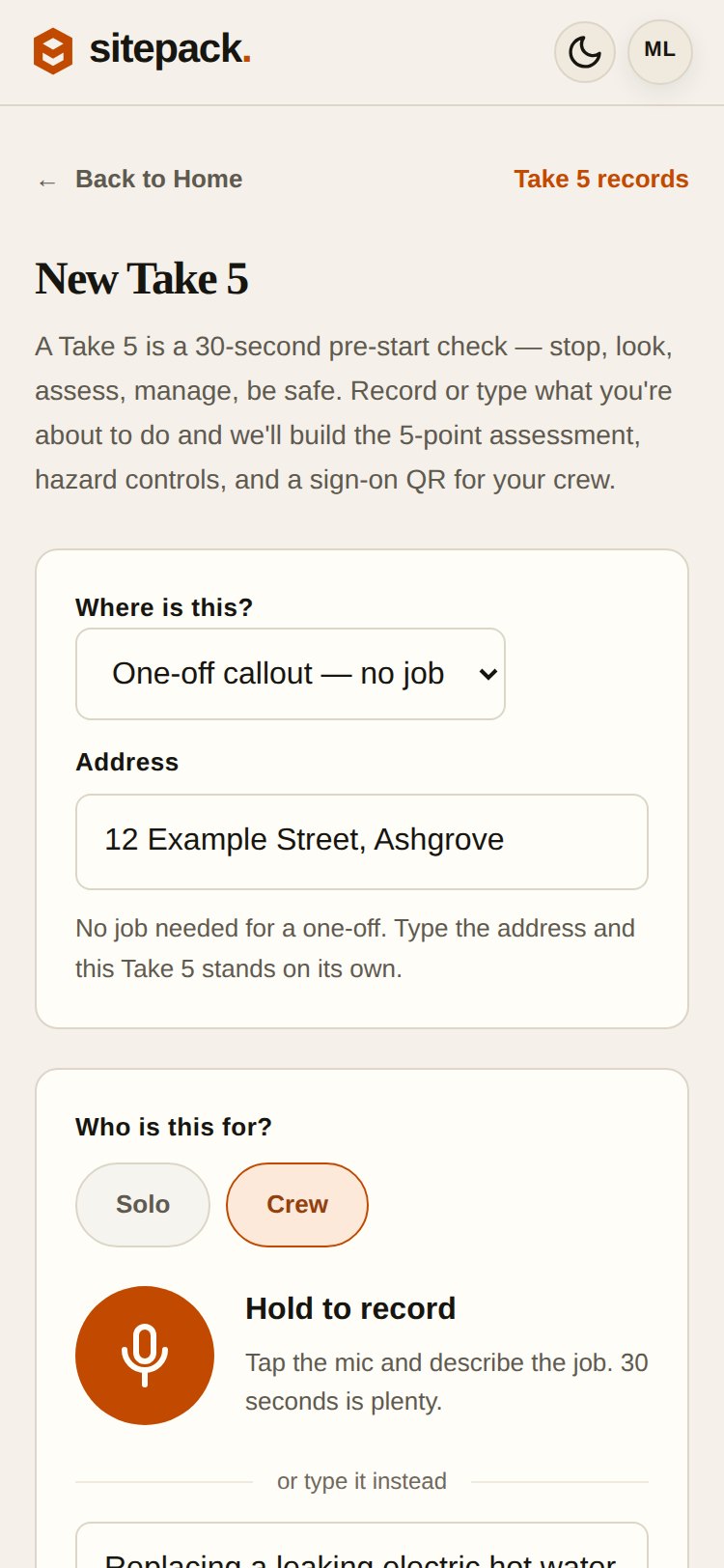
Callouts
Five addresses before lunch. Take 5s and SWMS against the address you’re at, with no job to set up.
See how it works →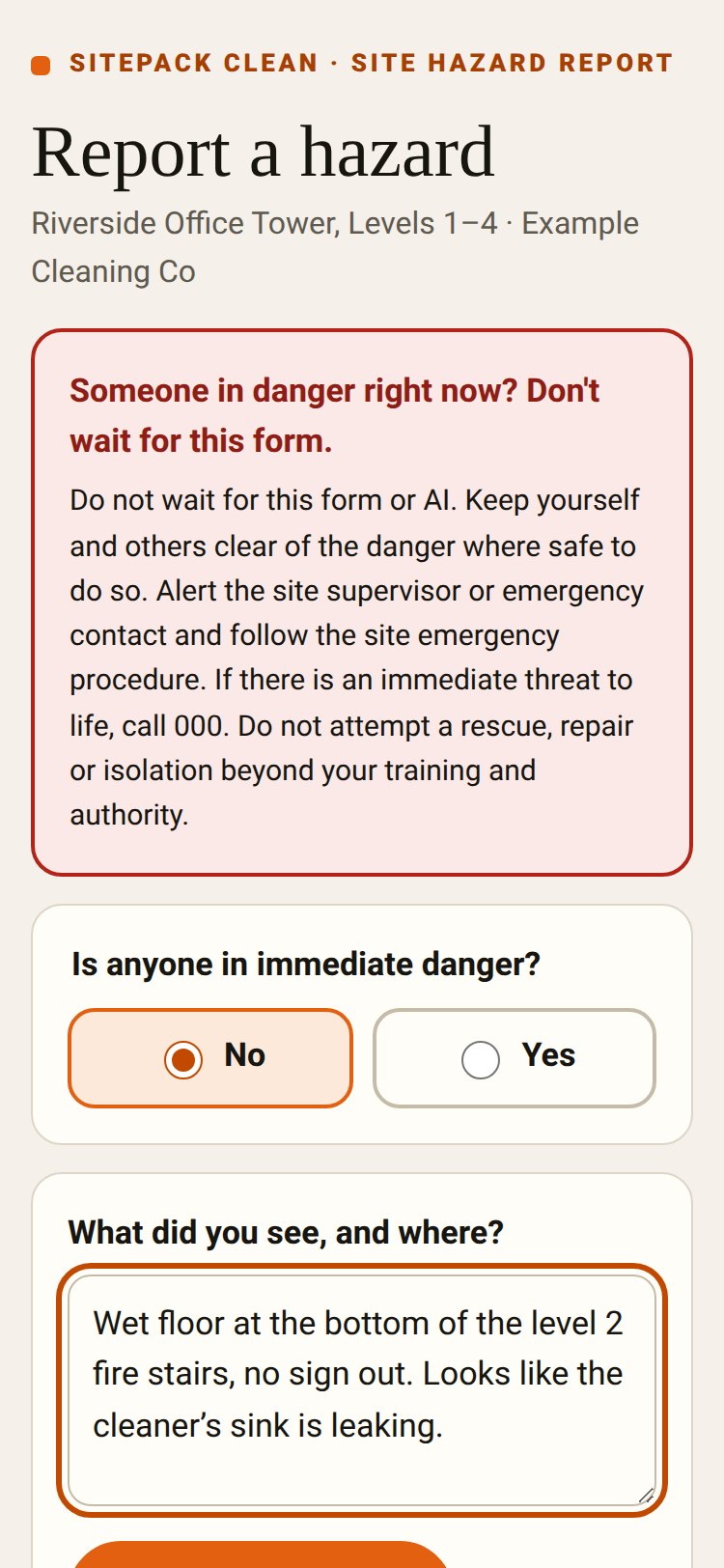
Sitepack Clean
A QR poster on each site. Anyone can report a hazard without an app or login, and supervisors follow it through.
See how it works →Fifteen minutes on a call. We’ll take a SWMS from voice note to crew sign-on, then talk through the pilot.
Or send an enquiry.