No job to set up
Choose “One-off callout” and start. A same-day visit doesn’t need a site, a crew list or a job that runs for weeks.
For plumbers, electricians and service trades
Do a Take 5 or SWMS against the address you’re at, straight from your phone. No job to set up first, and every record ready when a client or head contractor asks.
Built in Brisbane. Runs in a phone browser. Nothing for your techs to install.
Built for service work
Most safety apps assume a site that runs for weeks with the same crew. Your day is five addresses before lunch.
Choose “One-off callout” and start. A same-day visit doesn’t need a site, a crew list or a job that runs for weeks.
Type the street address you’re standing at. It stays with the Take 5 or SWMS, so you can find it later.
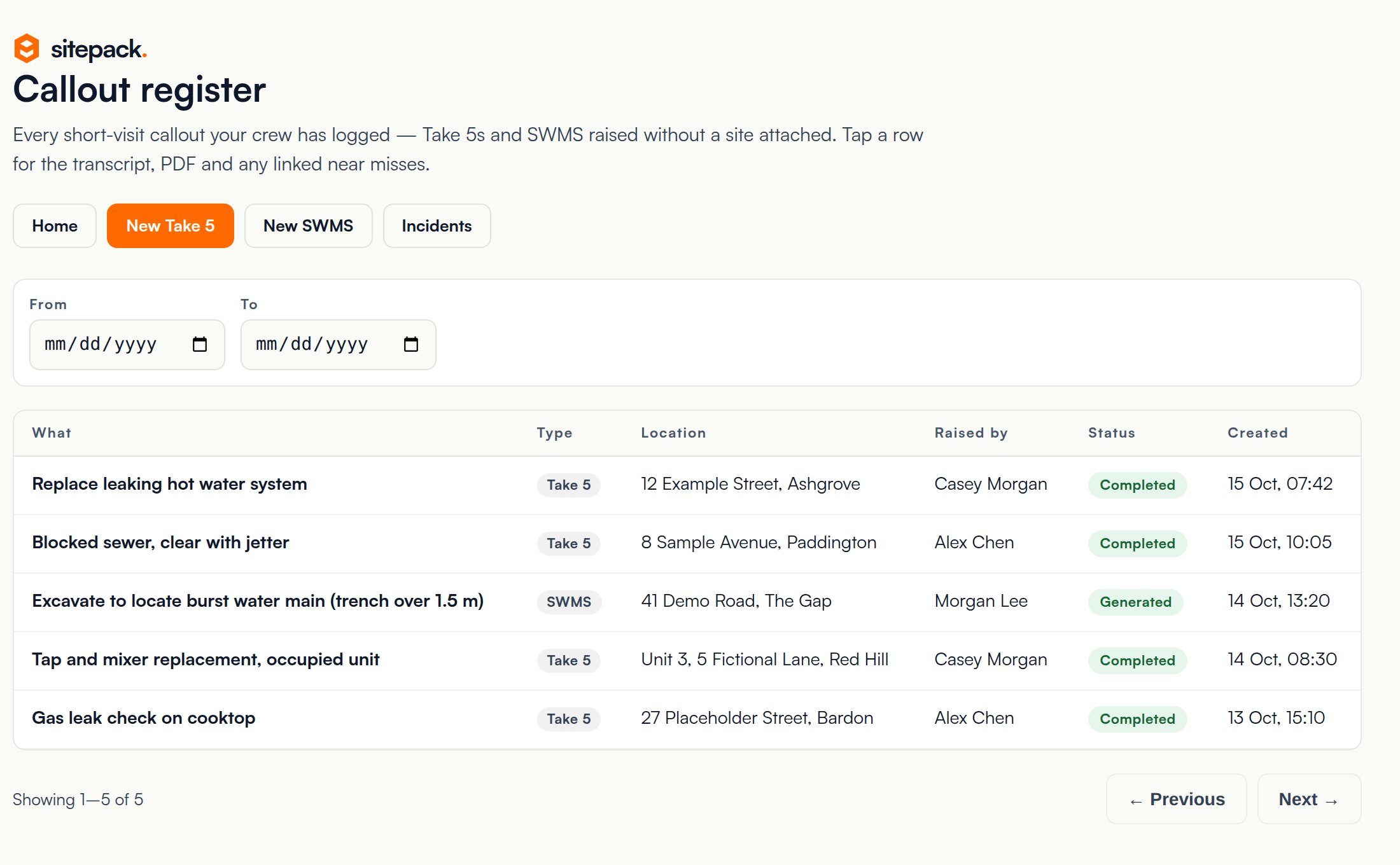
Take 5s and SWMS raised without a job land in a callout register you can filter by date and by who raised it.
How a callout works
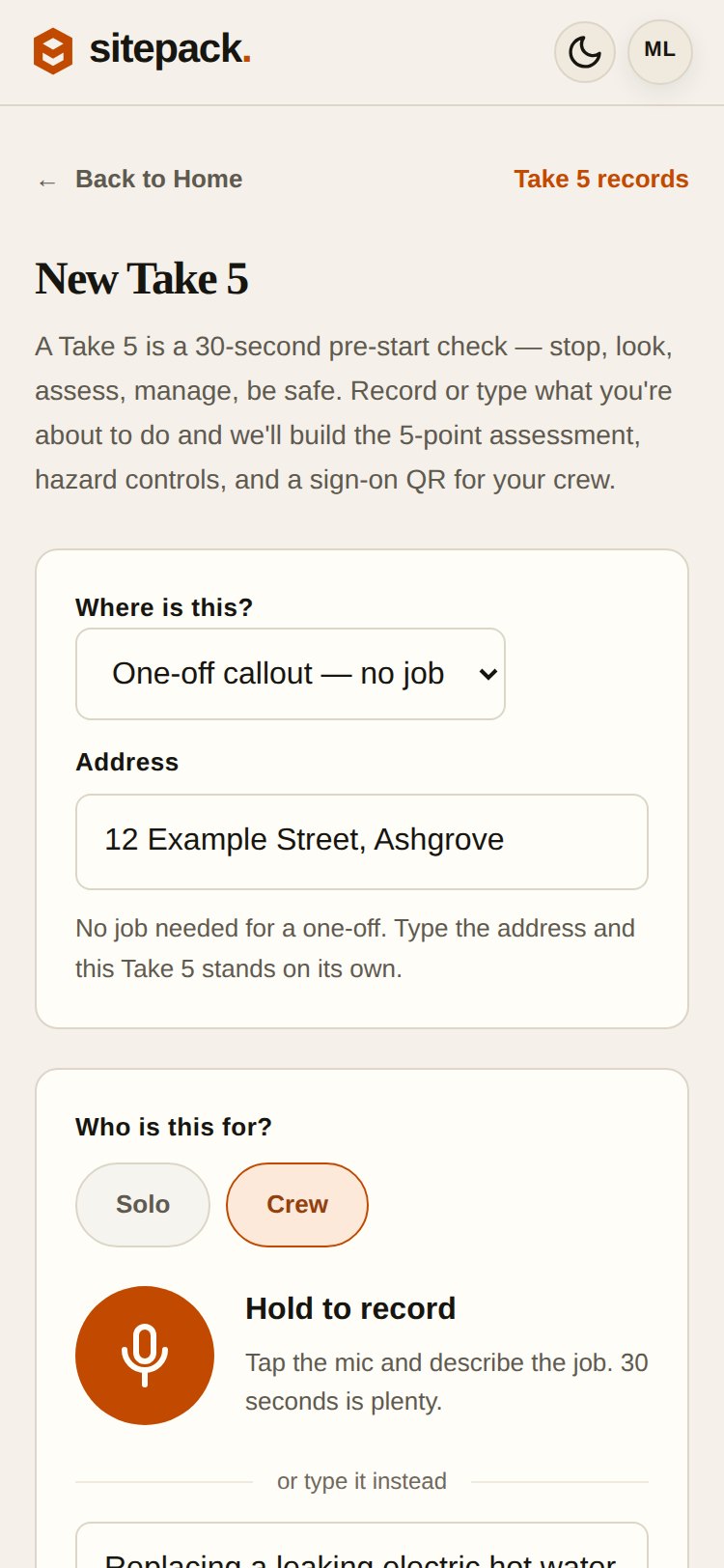
Real Sitepack screens with a fictional hot water job.
Choose One-off callout and type the address. Solo, or Crew if there are two of you.
Hold to record and describe the job in about 30 seconds, or type it. Add photos if they help.
Sitepack drafts the five-point check, hazards and controls. You fix anything it got wrong before relying on it.
The completed record sits in your callout register with the address, who raised it and when.
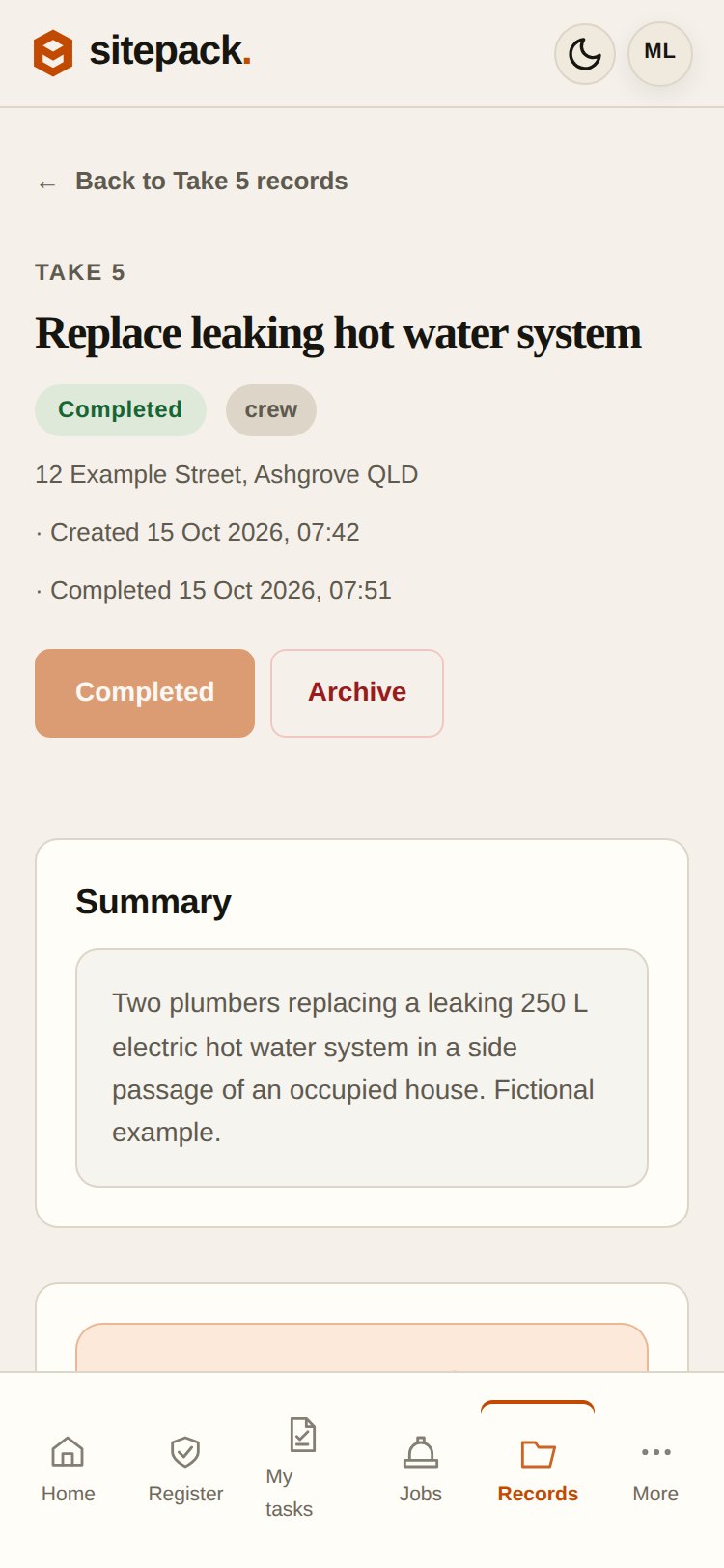
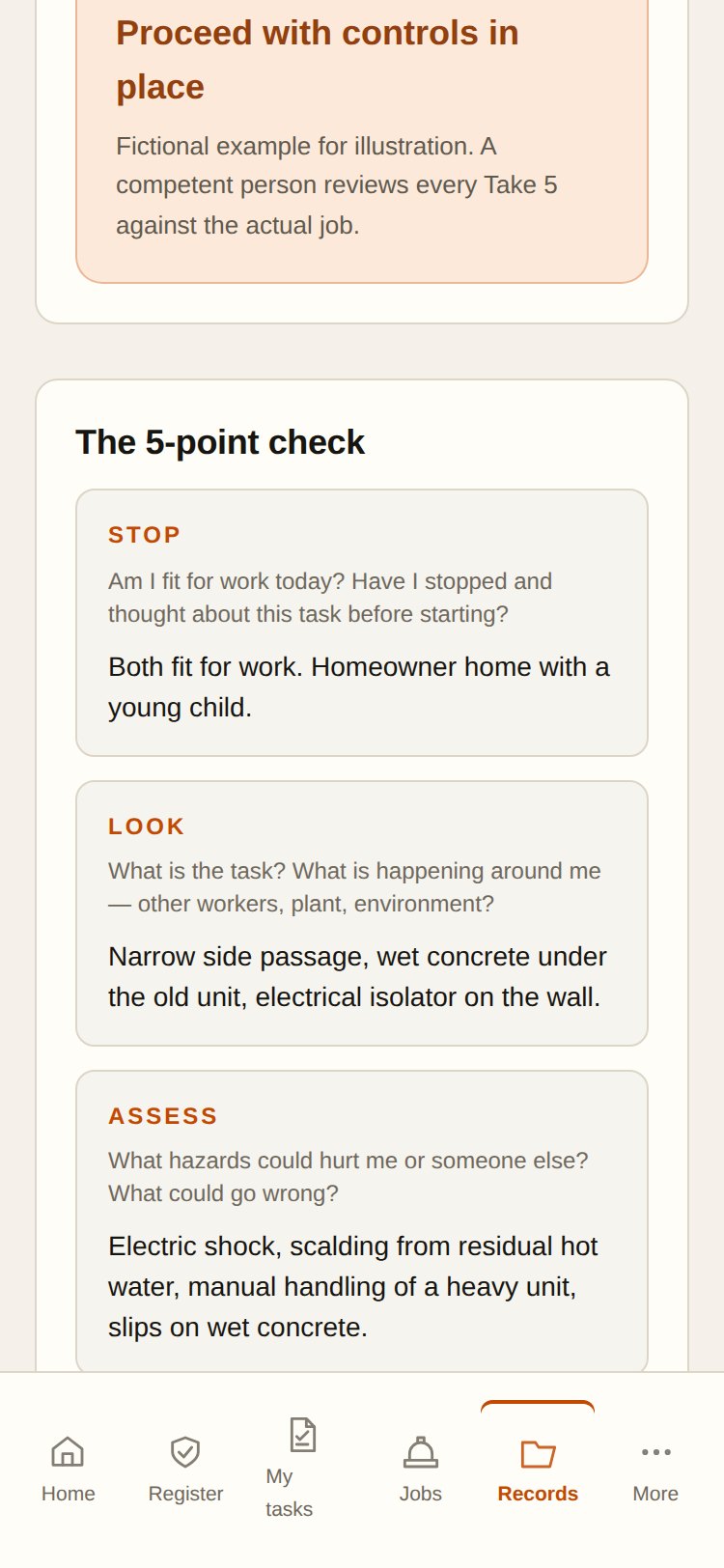
The draft is a starting point. A competent person checks it against the actual job before anyone relies on it. Sitepack doesn’t approve work or guarantee compliance.
The callout register
When a client asks what you did at their property last Tuesday, it’s one search away.
Set up the way you work
Choose when you sign up, change it later in Settings. It changes Sitepack’s wording and layout to suit callouts or jobs. Every feature stays available either way.
When the job gets bigger
When a callout turns into a trench, a confined space or work at height, draft a SWMS against the same address.
More →Report something that needs fixing, assign it and verify it was done.
More →Record what happened at a customer’s place with voice, photos and follow-up.
More →Prepare a short talk for the team and keep the sign-ons.
More →Sitepack sits beside your job-management software. It doesn’t do dispatch, quoting or invoicing.
Running a team?
Psychological health is part of your safety duty, and Queensland now requires a written harassment prevention plan where there’s a risk. The Compliance Pack gives your team short talks to acknowledge and a dated evidence pack when someone asks.
Paid pilot
FAQ
No. Sitepack handles the safety record for the visit. It doesn’t do dispatch, scheduling, timesheets, quoting, invoicing or a customer database. Keep using your job-management system for those.
No. Choose One-off callout, type the address and the Take 5 stands on its own. If you also run longer projects, you can set those up as jobs in the same account.
No. A Take 5 is a quick pre-start check. High-risk construction work, such as trenches deeper than 1.5 m, confined spaces or work above 2 m, still needs a SWMS before it starts, and a saved record never authorises work on its own.
Yes. You choose how you mostly work when you sign up, and you can change it later in Settings. It changes the wording and layout, not which features you can use.
Sitepack needs an internet connection to record, transcribe, generate and save. There is no offline mode or background sync yet. If coverage drops, keep the tab open, use your site's paper backup and save once you are connected.
AI output is a draft. A competent person must check it against the actual job before it is used or shared. Sitepack does not approve work or guarantee compliance.
Not quite you?
The same Sitepack, set up for building projects or cleaning sites.
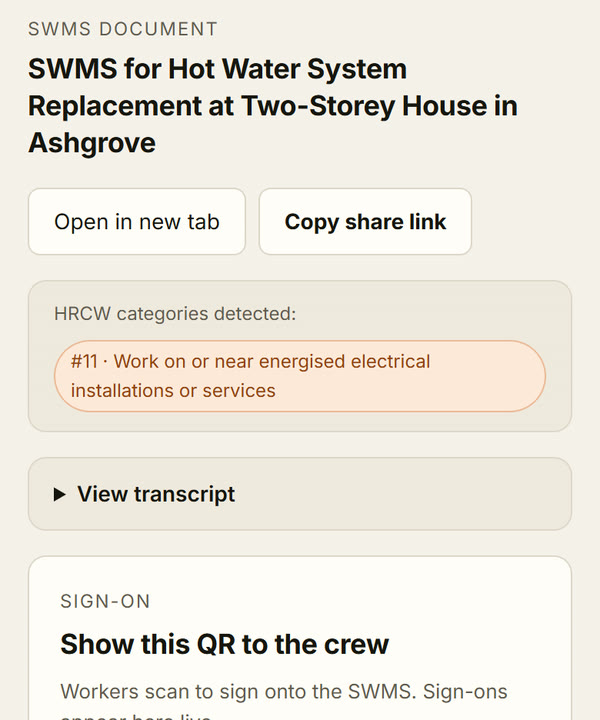
Projects & sites
Jobs that run for days or weeks. Voice-drafted SWMS, crew sign-on by QR, and toolbox talks per job.
See how it works →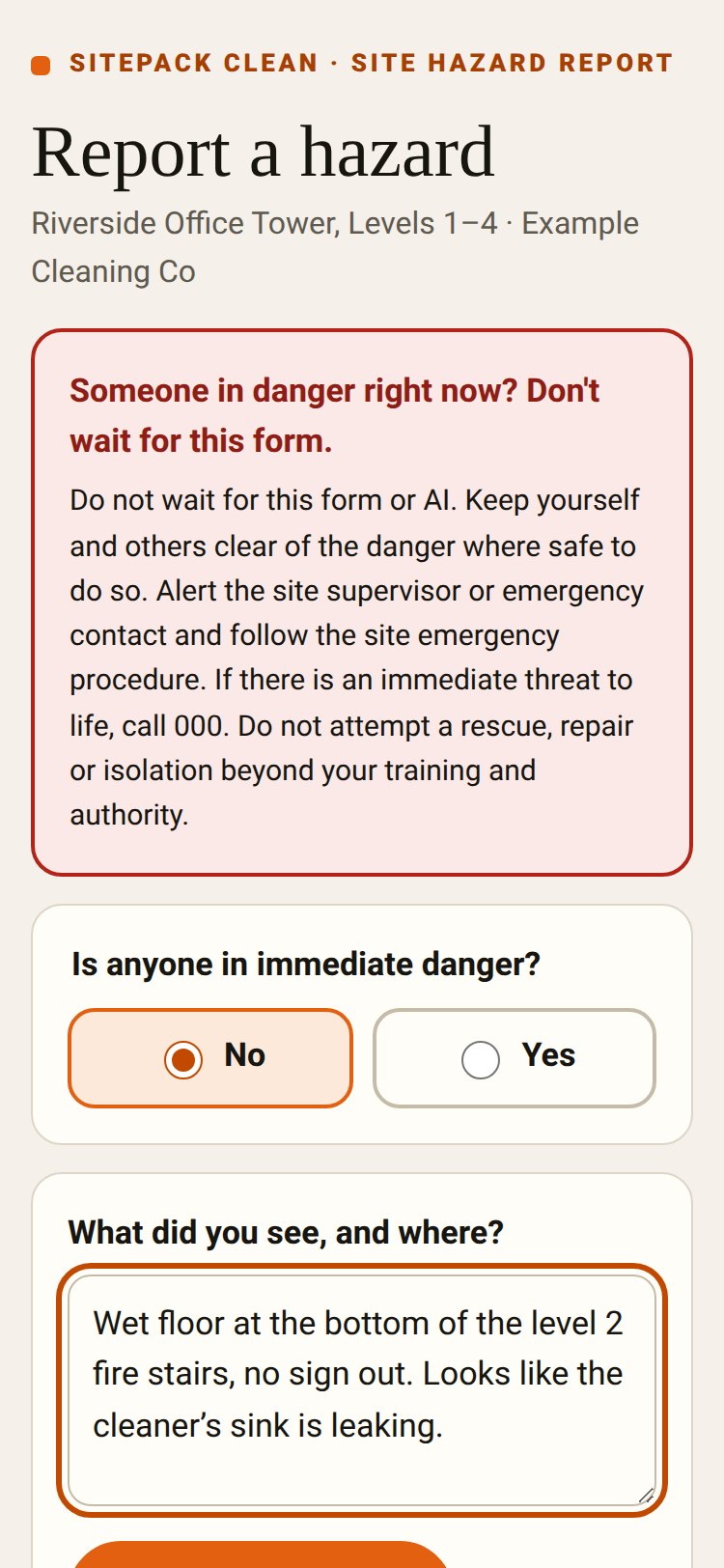
Sitepack Clean
A QR poster on each site. Anyone can report a hazard without an app or login, and supervisors follow it through.
See how it works →Fifteen minutes on a call. Bring a job you did this week and we’ll run it through Sitepack together.
Or send an enquiry.